
teachComputing
  • Home
  • Teaching & Learning
    • AI Writing
    • AI Prompts
    • Wellbeing
    • Blog
    • Humour >
      • Teacher Humour
      • Teacher Humor
    • PLN Challenge >
      • Covering your backside
      • Online Privacy
      • Twitter Challenge >
        • Twitter All Star
        • Challenge 1
        • Challenge 2
        • Challenge 3
        • Tips for staying safe on Twitter
        • Tips for hosting Edu Twitter Chats
        • Tips for taking part in Twitter chats
        • It's all about the hashtag! Essential chats for educators
        • How to storify a chat
        • How to schedule Tweets
        • Twitter Lists
        • NT2tEU
      • Facebook Challenge >
        • Challenge 4
        • Challenge 5
        • Challenge 6
        • Tips for staying safe on Facebook
      • Google Challenge >
        • Challenge 7
        • Challenge 8
        • Challenge 9
      • Pinterest Challenge >
        • Challenge 10
        • Challenge 11
        • Challenge 12
        • Tips for using Pinterest
      • Blog Challenge >
        • Challenge 13
        • Challenge 14
        • Challenge 15
        • How to create a classroom blog
      • Staffrm Challenge >
        • Challenge 16
        • Challenge 17
        • Challenge 18
      • Skype Challenge >
        • Challenge 19
        • Challenge 20
        • Challenge 21
      • Edmodo Challenge >
        • Challenge 22
        • Challenge 23
        • Challenge 24
      • TeachMeet Challenge >
        • Challenge 25
        • Challenge 26
        • Challenge 27
      • In-school challenge >
        • Challenge 28
        • Challenge 29
        • Challenge 30
      • 30 ways to grow your PLN
    • Tools for Teachers >
      • Web 2.0 >
        • Top 10 Web 2.0 Tools
        • Classroom Response Tools
      • Quiz Tools
      • Classroom Management Tools
      • Software >
        • Media Conversion Tools
        • Application Software
      • Multimedia >
        • Free Music
    • BYOD
    • Digital Leaders >
      • Digital Leaders Blog >
        • DL Archive
      • DL Tips
      • Quotes
      • Links
    • Flipped Learning >
      • Flipped Classroom vs. Blended Classroom
    • Gamification >
      • Gamification vs. Game Based Learning vs. Game Design
    • School Closures
    • Game Based Learning >
      • Minecraft >
        • Minecraft in Education
        • Minecraft Lesson Ideas
        • Minecraft Literacy
        • Minecraft Top Tips
        • Minecraft Coding Tutorials >
          • Minecraft Code Builder Setup
          • Minecraft Code: Walking on Air
          • Minecraft Code: Hello World
          • Minecraft Code: Functions
          • Minecraft Code: Rainbow
          • Minecraft Code: Skyscraper
          • Minecraft Pixel Art
    • The magic of >
      • The magic of Computing
      • The magic of Maths
      • The magic of Science
      • The magic of Literacy
    • Road2e2
    • T&L Blog
  • Computing
    • Computing Blog >
      • GCSE Computer Science
      • General
    • Teaching Computer Science >
      • CPD >
        • Blocks to Code
        • Tutorials >
          • How to embed Flash into PowerPoint
          • How to embed YouTube videos in to PowerPoint
          • How to create a wiki
          • How to create a classroom blog
      • Schemes of Work
      • Programming Resources
      • Theory
      • Posters
      • Festive Computing Activities
      • FLOPPYS 2020
      • FLOPPYS 2021
      • FLOPPYS 2022
      • Game Design
      • App Creation
    • Theory Lessons >
      • Theory Tests
      • Computer Hardware >
        • Input / Output
        • CPU
        • LMC
        • Storage Devices
        • Memory (RAM / ROM)
        • Hardware
      • Binary Lessons >
        • Units of Data
        • Binary Representation
        • Binary Representation of Images >
          • Binary Representation of Images (Festive)
        • Binary Representation of Characters
        • Binary Representation of Sound
        • Binary Representation of Instructions
        • Binary Addition
        • Hexadecimal
      • Software >
        • Operating System
        • Types of Software
        • Utility Software
      • Programming >
        • Flowcharts
      • Computational Thinking >
        • Data Science
    • Digital Literacy >
      • Social Media (Good or Bad thing?)
      • Cyberbullying
      • Staying Safe Online
    • ICT Strand >
      • Fake News Project >
        • Fake News 1
        • Fake News 2
        • Fake News 3
        • Fake News 4
        • Fake News 5
      • Spreadsheet Modelling
      • Superhero Movie Trailer
      • PowerPoint Task
      • Digital Imaging
      • Paint 3D Tutorial
    • Programming Lessons >
      • Scratch >
        • Festive Scratch >
          • Music Festive with Scratch
          • Turtle Snowflakes
          • What's your elf name
          • Secret Santa
        • Making music with Scratch
        • Sorting Hat Lesson
        • Turtle Time
        • Superhero name generator
        • Compliment Generator
        • Magic 8 ball
      • Python >
        • Chatbot
        • Coding Golf
        • Turtle Time >
          • Turtle Instructions
        • Magic 8 ball
        • Python Mad Libs
        • Rock Paper Scissors
        • Shakespearean Insult Generator >
          • Shakespearean Insult Generator Part 2
        • Compliment generator
        • Sorting Hat
        • Superhero name generator
        • Cards Against
        • Guess the word
        • Guess the number
        • Festive Python >
          • What's your elf name
          • Secret Santa
          • Turtle Snowflakes
      • Little Man Computer
      • Hour of Code >
        • Hour of Code Music
        • Python Tutorials
        • HoC 8-Bit Challenge
        • Music MicroPython (Festive)
      • Raspberry Pi >
        • Networking the Pi
        • Minecraft Pi
        • Harry Potter Sorting Hat >
          • Harry Potter Sorting Hat (GPIO)
        • Raspberry Pi LTSP (Networked Classroom)
        • Astro Pi
      • TouchDevelop >
        • TouchDevelop Challenge
        • Scheme of Work
        • TouchDevelop Lessons >
          • 8 bit challenge
          • Turing Test
          • Turtle Power
          • 8 Ball
          • Under the hood
        • Tutorials
    • Homeschooling
    • Remote Learning >
      • Fun Python Tutorials
      • Python Tutorials >
        • Chatbot Tutorial
        • Dice Roll
        • Turtle Tutorial
        • Magic 8 ball
        • Sorting Hat
        • Rock Paper Scissors Tutorial
        • Cards Against
        • Python Mad Libs
        • Shakespearean Insult Generator >
          • Shakespearean Insult Generator Part 2
        • Guess the word
        • Guess the number
        • Superhero name generator
        • Compliment generator
        • Festive Python Tutorials >
          • What's your elf name
          • Secret Santa
          • Turtle Snowflakes
      • Scratch Tutorials >
        • Sorting Hat
        • What's your superhero name
        • Turtle Time Tutorial
        • Compliment Generator
        • Magic 8 Ball
        • Festive Scratch Tutorials >
          • Festive Music with Scratch
          • Secret Santa Scratch Tutorial
          • Turtle Snowflakes Tutorial
          • What's your elf name
    • Revision >
      • Data Representation >
        • Binary Representation of Images
        • Binary Representation of Sound
  • 21 Things
    • 21 Things To Try >
      • ConnectEd
      • Social Media >
        • Twitter
        • Pinterest
        • Facebook Groups
        • Facebook Pages
        • Google+ Communities
        • Staffrm
        • Edmodo
        • Mystery Skype
        • Blogging
        • Classroom Blogging
      • Gamification
      • Flipped Classroom
      • Breakout Edu
      • Edu Podcasts
      • Jar of Awesome
      • TeachMeet
      • Team Teaching
      • Mixed Reality
      • Digital Leaders
      • Genius Hour
      • Sketchnoting
    • Computing >
      • CS 20
      • Code Golf
      • PRIMM
      • Under The Hood
      • Unplugged
      • Podcasts
      • Facebook Groups CS
      • Flipped Classroom CS
      • Teach with Magic
      • Socratic Debate
      • Coding Music
    • 21 Things Keep Fit >
      • 20 Health Hacks
      • Home Health Hacks
    • 21 Things PLN >
      • Edmodo
      • Twitter
      • Reply to a blog
      • Skype
      • Cofee Edu
      • Pinterest
      • Reach out
      • Conferences
      • Instagram
      • Ning
      • MEC
      • Voxer
      • LinkedIn
  • Microbit
    • Physical Computing >
      • micro:bit LEDs
      • micro:bit PIR
      • micro:bit Servo
      • micro:bit Temp
      • micro:bit LDR
      • micro:bit Moisture
      • micro:bit RGB LEDs
      • micro:bit HC-SR04 3v3
      • micro:bit HC-SR04 5v
      • micro:bit Push button
      • micro:bit Potentiometer
      • micro:bit Piezo
    • Music >
      • Music Festive
    • Festive Projects
    • Projects >
      • Music
      • Music MicroPython
      • Servo Animals
    • Lessons >
      • Magic 8 Ball
      • Harry Potter Sorting Hat
    • Quick Start Guide
    • Microbit Simulator
  • About
    • Privacy
  • #100 Ideas
    • Testimonials
    • Competition >
      • Competition 2
    • Worksheets
    • Bonus Ideas >
      • What's your elf name
      • Make me happy
      • Guess the word
      • Cards Against Humanities
      • Compliment generator
      • Data Science
    • Curriculum
    • ISTE
    • CSTA
  • Home
  • Teaching & Learning
    • AI Writing
    • AI Prompts
    • Wellbeing
    • Blog
    • Humour >
      • Teacher Humour
      • Teacher Humor
    • PLN Challenge >
      • Covering your backside
      • Online Privacy
      • Twitter Challenge >
        • Twitter All Star
        • Challenge 1
        • Challenge 2
        • Challenge 3
        • Tips for staying safe on Twitter
        • Tips for hosting Edu Twitter Chats
        • Tips for taking part in Twitter chats
        • It's all about the hashtag! Essential chats for educators
        • How to storify a chat
        • How to schedule Tweets
        • Twitter Lists
        • NT2tEU
      • Facebook Challenge >
        • Challenge 4
        • Challenge 5
        • Challenge 6
        • Tips for staying safe on Facebook
      • Google Challenge >
        • Challenge 7
        • Challenge 8
        • Challenge 9
      • Pinterest Challenge >
        • Challenge 10
        • Challenge 11
        • Challenge 12
        • Tips for using Pinterest
      • Blog Challenge >
        • Challenge 13
        • Challenge 14
        • Challenge 15
        • How to create a classroom blog
      • Staffrm Challenge >
        • Challenge 16
        • Challenge 17
        • Challenge 18
      • Skype Challenge >
        • Challenge 19
        • Challenge 20
        • Challenge 21
      • Edmodo Challenge >
        • Challenge 22
        • Challenge 23
        • Challenge 24
      • TeachMeet Challenge >
        • Challenge 25
        • Challenge 26
        • Challenge 27
      • In-school challenge >
        • Challenge 28
        • Challenge 29
        • Challenge 30
      • 30 ways to grow your PLN
    • Tools for Teachers >
      • Web 2.0 >
        • Top 10 Web 2.0 Tools
        • Classroom Response Tools
      • Quiz Tools
      • Classroom Management Tools
      • Software >
        • Media Conversion Tools
        • Application Software
      • Multimedia >
        • Free Music
    • BYOD
    • Digital Leaders >
      • Digital Leaders Blog >
        • DL Archive
      • DL Tips
      • Quotes
      • Links
    • Flipped Learning >
      • Flipped Classroom vs. Blended Classroom
    • Gamification >
      • Gamification vs. Game Based Learning vs. Game Design
    • School Closures
    • Game Based Learning >
      • Minecraft >
        • Minecraft in Education
        • Minecraft Lesson Ideas
        • Minecraft Literacy
        • Minecraft Top Tips
        • Minecraft Coding Tutorials >
          • Minecraft Code Builder Setup
          • Minecraft Code: Walking on Air
          • Minecraft Code: Hello World
          • Minecraft Code: Functions
          • Minecraft Code: Rainbow
          • Minecraft Code: Skyscraper
          • Minecraft Pixel Art
    • The magic of >
      • The magic of Computing
      • The magic of Maths
      • The magic of Science
      • The magic of Literacy
    • Road2e2
    • T&L Blog
  • Computing
    • Computing Blog >
      • GCSE Computer Science
      • General
    • Teaching Computer Science >
      • CPD >
        • Blocks to Code
        • Tutorials >
          • How to embed Flash into PowerPoint
          • How to embed YouTube videos in to PowerPoint
          • How to create a wiki
          • How to create a classroom blog
      • Schemes of Work
      • Programming Resources
      • Theory
      • Posters
      • Festive Computing Activities
      • FLOPPYS 2020
      • FLOPPYS 2021
      • FLOPPYS 2022
      • Game Design
      • App Creation
    • Theory Lessons >
      • Theory Tests
      • Computer Hardware >
        • Input / Output
        • CPU
        • LMC
        • Storage Devices
        • Memory (RAM / ROM)
        • Hardware
      • Binary Lessons >
        • Units of Data
        • Binary Representation
        • Binary Representation of Images >
          • Binary Representation of Images (Festive)
        • Binary Representation of Characters
        • Binary Representation of Sound
        • Binary Representation of Instructions
        • Binary Addition
        • Hexadecimal
      • Software >
        • Operating System
        • Types of Software
        • Utility Software
      • Programming >
        • Flowcharts
      • Computational Thinking >
        • Data Science
    • Digital Literacy >
      • Social Media (Good or Bad thing?)
      • Cyberbullying
      • Staying Safe Online
    • ICT Strand >
      • Fake News Project >
        • Fake News 1
        • Fake News 2
        • Fake News 3
        • Fake News 4
        • Fake News 5
      • Spreadsheet Modelling
      • Superhero Movie Trailer
      • PowerPoint Task
      • Digital Imaging
      • Paint 3D Tutorial
    • Programming Lessons >
      • Scratch >
        • Festive Scratch >
          • Music Festive with Scratch
          • Turtle Snowflakes
          • What's your elf name
          • Secret Santa
        • Making music with Scratch
        • Sorting Hat Lesson
        • Turtle Time
        • Superhero name generator
        • Compliment Generator
        • Magic 8 ball
      • Python >
        • Chatbot
        • Coding Golf
        • Turtle Time >
          • Turtle Instructions
        • Magic 8 ball
        • Python Mad Libs
        • Rock Paper Scissors
        • Shakespearean Insult Generator >
          • Shakespearean Insult Generator Part 2
        • Compliment generator
        • Sorting Hat
        • Superhero name generator
        • Cards Against
        • Guess the word
        • Guess the number
        • Festive Python >
          • What's your elf name
          • Secret Santa
          • Turtle Snowflakes
      • Little Man Computer
      • Hour of Code >
        • Hour of Code Music
        • Python Tutorials
        • HoC 8-Bit Challenge
        • Music MicroPython (Festive)
      • Raspberry Pi >
        • Networking the Pi
        • Minecraft Pi
        • Harry Potter Sorting Hat >
          • Harry Potter Sorting Hat (GPIO)
        • Raspberry Pi LTSP (Networked Classroom)
        • Astro Pi
      • TouchDevelop >
        • TouchDevelop Challenge
        • Scheme of Work
        • TouchDevelop Lessons >
          • 8 bit challenge
          • Turing Test
          • Turtle Power
          • 8 Ball
          • Under the hood
        • Tutorials
    • Homeschooling
    • Remote Learning >
      • Fun Python Tutorials
      • Python Tutorials >
        • Chatbot Tutorial
        • Dice Roll
        • Turtle Tutorial
        • Magic 8 ball
        • Sorting Hat
        • Rock Paper Scissors Tutorial
        • Cards Against
        • Python Mad Libs
        • Shakespearean Insult Generator >
          • Shakespearean Insult Generator Part 2
        • Guess the word
        • Guess the number
        • Superhero name generator
        • Compliment generator
        • Festive Python Tutorials >
          • What's your elf name
          • Secret Santa
          • Turtle Snowflakes
      • Scratch Tutorials >
        • Sorting Hat
        • What's your superhero name
        • Turtle Time Tutorial
        • Compliment Generator
        • Magic 8 Ball
        • Festive Scratch Tutorials >
          • Festive Music with Scratch
          • Secret Santa Scratch Tutorial
          • Turtle Snowflakes Tutorial
          • What's your elf name
    • Revision >
      • Data Representation >
        • Binary Representation of Images
        • Binary Representation of Sound
  • 21 Things
    • 21 Things To Try >
      • ConnectEd
      • Social Media >
        • Twitter
        • Pinterest
        • Facebook Groups
        • Facebook Pages
        • Google+ Communities
        • Staffrm
        • Edmodo
        • Mystery Skype
        • Blogging
        • Classroom Blogging
      • Gamification
      • Flipped Classroom
      • Breakout Edu
      • Edu Podcasts
      • Jar of Awesome
      • TeachMeet
      • Team Teaching
      • Mixed Reality
      • Digital Leaders
      • Genius Hour
      • Sketchnoting
    • Computing >
      • CS 20
      • Code Golf
      • PRIMM
      • Under The Hood
      • Unplugged
      • Podcasts
      • Facebook Groups CS
      • Flipped Classroom CS
      • Teach with Magic
      • Socratic Debate
      • Coding Music
    • 21 Things Keep Fit >
      • 20 Health Hacks
      • Home Health Hacks
    • 21 Things PLN >
      • Edmodo
      • Twitter
      • Reply to a blog
      • Skype
      • Cofee Edu
      • Pinterest
      • Reach out
      • Conferences
      • Instagram
      • Ning
      • MEC
      • Voxer
      • LinkedIn
  • Microbit
    • Physical Computing >
      • micro:bit LEDs
      • micro:bit PIR
      • micro:bit Servo
      • micro:bit Temp
      • micro:bit LDR
      • micro:bit Moisture
      • micro:bit RGB LEDs
      • micro:bit HC-SR04 3v3
      • micro:bit HC-SR04 5v
      • micro:bit Push button
      • micro:bit Potentiometer
      • micro:bit Piezo
    • Music >
      • Music Festive
    • Festive Projects
    • Projects >
      • Music
      • Music MicroPython
      • Servo Animals
    • Lessons >
      • Magic 8 Ball
      • Harry Potter Sorting Hat
    • Quick Start Guide
    • Microbit Simulator
  • About
    • Privacy
  • #100 Ideas
    • Testimonials
    • Competition >
      • Competition 2
    • Worksheets
    • Bonus Ideas >
      • What's your elf name
      • Make me happy
      • Guess the word
      • Cards Against Humanities
      • Compliment generator
      • Data Science
    • Curriculum
    • ISTE
    • CSTA
Search by typing & pressing enter

YOUR CART

Picture
Under the hood

In this lesson, students will learn how to create an eBook using TouchDevelop. Students will also learn the purpose of components inside a computer such as RAM and the CPU.


Suggested time: 100 mins

Learning Objectives:

  • Define a computer system
  • Describe the purpose of RAM in a computer system
  • State the purpose of the CPU
  • Create an eBook using TouchDevelop


Curriculum Mapping:

KS2:

  • Design, write and debug programs that accomplish specific goals; solve problems by breaking them into smaller parts. Select, use and combine a variety of software on a range of digital devices to design and create a range of programs.
  • Use sequence, selection and repetition in programs; work with variables and various forms of input and output
  • Use logical reasoning to explain how some simple algorithms work; detect and correct errors in algorithms and programs

KS3:

  • Use two or more programming languages, at least one of which is textual, to solve a variety of computational problems
  • Understand the hardware and software components that make up computer systems, and how they communicate with one another and with other systems


What you will need:

  • Web enabled device (PC, Tablet, Phone) with an up-to-date browser (Internet Explorer, Safari, Chrome)
  • TouchDevelop Web App (www.touchdevelop.com)
  • Old computer and set of screwdrivers (OPTIONAL)

Lesson Outline:

In this lesson, students will learn how to create an eBook using pages in TouchDevelop. Students will also learn the purpose of components inside a computer such as RAM and the CPU.


Activity 1:

Instruct students to conduct some research on the following components:

  • CPU
  • Motherboard
  • PSU
  • RAM
  • Hard Disk
  • Graphics card
  • Network card

Direct students to the following links to help them with their research:


Useful Links:

Your PC, inside and out: Part 1 (Free download courtesy of makeuseof.com)

In this guide Lachlan Roy breaks the computer down into its different components. For each component he describes its function, talks about best brands on the market, explains the different specifications to look out for and provides a bit of history, too. Part 1 focusses on the motherboard.

Your PC, inside and out: Part 2 (Free download courtesy of makeuseof.com)

Part 2 highlights everything you need to know about CPUs, storage devices, memory, graphics cards and other computer components.


Alternative: If you have some spare old computers lying around, split students into groups of 3 or 4 and arm each group with a screwdriver and camera. Instruct students to take their computer apart - remembering where each part goes as they had to put them back together ready for the next class. As the students take the computers apart, ask students to photograph each component and explain briefly its purpose.


Activity 2:

Explain to students that they are going to create an eBook describing the main components of a computer.

Direct students to the link below and ask them to follow the instructions on how to create an eBook:

Tutorial:

Creating an eBook (step-by-step tutorial) 


Worksheet:

ebook_tutorial.docx
File Size: 196 kb
File Type: docx
Download File

Plenary:

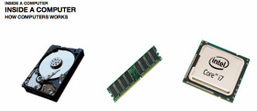
After reviewing the students work, we finished off by playing a game of "You Say, We Pay" - Inside a Computer. If you have never played the game before, this is a game borrowed from from the 'Richard and Judy Show'. The aim of the game is for one student (Blind folded or back turned to the computer screen) to guess what pictures are being displayed on the screen using only descriptions from other students (Other students are not allowed to use the word or use words that rhyme). For a little extra competition, you can also split the class into two and take it in turns to see which team can get the most correct answers (without cheating) - See PowerPoint below:
plenary.pptx
File Size: 4385 kb
File Type: pptx
Download File

Homework:

Students can continue to work on their eBook and publish their script when they have finished. 


Licence:

Unless otherwise specified, everything in this repository is covered by the following licence:

Picture
TouchDevelop "Create an eBook" lesson is licenced under a Creative Commons Attribution 4.0 International License.

Powered by Create your own unique website with customizable templates.