
teachComputing
  • Home
  • AI
    • AI Literacy >
      • AI Alliteration
      • Describing Monsters
      • Dystopian writing
      • Bringing literacy to life with AI
      • AI Literacy Prompts
    • AI Computing >
      • AI Computing Lessons >
        • Fake News
        • Make me happy
        • Chatting Robot
        • Supervised Learning
        • Fooled
        • Socratic Debate
        • Moral Machine
        • Invisible Animals
      • AI Coding Strategies
      • AI Computing Prompts
    • AI Prompts
  • Teaching & Learning
    • Wellbeing
    • Blog
    • Humour >
      • Teacher Humour
      • Teacher Humor
    • PLN Challenge >
      • Covering your backside
      • Online Privacy
      • Twitter Challenge >
        • Twitter All Star
        • Challenge 1
        • Challenge 2
        • Challenge 3
        • Tips for staying safe on Twitter
        • Tips for hosting Edu Twitter Chats
        • Tips for taking part in Twitter chats
        • It's all about the hashtag! Essential chats for educators
        • How to storify a chat
        • How to schedule Tweets
        • Twitter Lists
        • NT2tEU
      • Facebook Challenge >
        • Challenge 4
        • Challenge 5
        • Challenge 6
        • Tips for staying safe on Facebook
      • Google Challenge >
        • Challenge 7
        • Challenge 8
        • Challenge 9
      • Pinterest Challenge >
        • Challenge 10
        • Challenge 11
        • Challenge 12
        • Tips for using Pinterest
      • Blog Challenge >
        • Challenge 13
        • Challenge 14
        • Challenge 15
        • How to create a classroom blog
      • Staffrm Challenge >
        • Challenge 16
        • Challenge 17
        • Challenge 18
      • Skype Challenge >
        • Challenge 19
        • Challenge 20
        • Challenge 21
      • Edmodo Challenge >
        • Challenge 22
        • Challenge 23
        • Challenge 24
      • TeachMeet Challenge >
        • Challenge 25
        • Challenge 26
        • Challenge 27
      • In-school challenge >
        • Challenge 28
        • Challenge 29
        • Challenge 30
      • 30 ways to grow your PLN
    • Tools for Teachers >
      • Web 2.0 >
        • Top 10 Web 2.0 Tools
        • Classroom Response Tools
      • Quiz Tools
      • Classroom Management Tools
      • Software >
        • Media Conversion Tools
        • Application Software
      • Multimedia >
        • Free Music
    • BYOD
    • Digital Leaders >
      • Digital Leaders Blog >
        • DL Archive
      • DL Tips
      • Quotes
      • Links
    • Flipped Learning >
      • Flipped Classroom vs. Blended Classroom
    • Gamification >
      • Gamification vs. Game Based Learning vs. Game Design
    • School Closures
    • Game Based Learning >
      • Minecraft >
        • Minecraft in Education
        • Minecraft Lesson Ideas
        • Minecraft Literacy
        • Real Life Minecraft
        • Minecraft Top Tips
        • Minecraft Coding Tutorials >
          • Minecraft Code Builder Setup
          • Minecraft Code: Walking on Air
          • Minecraft Code: Hello World
          • Minecraft Code: Functions
          • Minecraft Code: Rainbow
          • Minecraft Code: Skyscraper
          • Minecraft Pixel Art >
            • MC Pixel Art Painter
    • The magic of >
      • The magic of Computing
      • The magic of Maths
      • The magic of Science
      • The magic of Literacy
    • Road2e2
    • T&L Blog
  • Computing
    • Computing Blog >
      • GCSE Computer Science
      • General
    • Teaching Computer Science >
      • CPD >
        • Blocks to Code
        • Tutorials >
          • How to embed Flash into PowerPoint
          • How to embed YouTube videos in to PowerPoint
          • How to create a wiki
          • How to create a classroom blog
      • Schemes of Work
      • Programming Resources
      • Theory
      • Posters >
        • Binary Posters
        • Coding Posters
      • Festive Computing Activities
      • FLOPPYS 2020
      • FLOPPYS 2021
      • FLOPPYS 2022
      • Game Design
      • App Creation
    • Theory Lessons >
      • Theory Tests
      • Computer Hardware >
        • Input / Output
        • CPU
        • LMC
        • Storage Devices
        • Memory (RAM / ROM)
        • Hardware
      • Binary Lessons >
        • Units of Data
        • Binary & Denary >
          • Binary & Denary (Festive)
        • Binary Representation of Images >
          • Binary Representation of Images (Festive)
          • Pixel Painter
        • Binary Representation of Characters
        • Binary Representation of Sound >
          • ADC Simulator
        • Binary Representation of Instructions
        • Binary Addition
        • Hexadecimal
      • Software >
        • Operating System
        • Types of Software
        • Utility Software
      • Programming >
        • Flowcharts >
          • Tea Algorithm
          • Flow diagrams
      • Computational Thinking >
        • Data Science
    • Digital Literacy >
      • Social Media (Good or Bad thing?)
      • Cyberbullying
      • Staying Safe Online
    • Games >
      • Binary Games >
        • Binary Blitz!
        • Binary Brainiac
        • Binary Blaster
        • Binary Blast Off
        • Binary Flip
    • Binary >
      • ASCII Converter
      • Binary to Decimal
      • Binary to Hex
      • Binary Calculator
    • Escape Rooms >
      • Breakout Edu
      • Escape Timers >
        • Escape Timer
        • Team Timer
        • Binary Timer
      • Binary Escape
    • ICT Strand >
      • Fake News Project >
        • Fake News 1
        • Fake News 2
        • Fake News 3
        • Fake News 4
        • Fake News 5
      • Spreadsheet Modelling
      • Superhero Movie Trailer
      • PowerPoint Task
      • Digital Imaging
      • Paint 3D Tutorial
    • CS Toolkit >
      • AI Toolkit
      • Binary Toolkit
      • Coding Toolkit
    • Coding Strategies >
      • Worked Examples
      • Code Tracing
      • Parsons Problems
      • PRIMM
    • Programming Lessons >
      • Scratch >
        • Festive Scratch >
          • Music Festive with Scratch
          • Turtle Snowflakes
          • What's your elf name
          • Secret Santa
        • Making music with Scratch
        • Sorting Hat Lesson
        • Turtle Time
        • Superhero name generator
        • Compliment Generator
        • Magic 8 ball
      • Python >
        • Chatbot
        • Coding Golf
        • Turtle Time >
          • Turtle Instructions
        • Magic 8 ball
        • Python Mad Libs
        • Rock Paper Scissors
        • Shakespearean Insult Generator >
          • Shakespearean Insult Generator Part 2
        • Compliment generator
        • Sorting Hat
        • Superhero name generator
        • Cards Against
        • Guess the word
        • Guess the number
        • Festive Python >
          • What's your elf name
          • Secret Santa
          • Turtle Snowflakes
          • Let It Snow
      • Little Man Computer
      • Hour of Code >
        • Hour of Code Music
        • Python Tutorials
        • HoC 8-Bit Challenge
        • Music MicroPython (Festive)
      • Raspberry Pi >
        • Networking the Pi
        • Minecraft Pi
        • Harry Potter Sorting Hat >
          • Harry Potter Sorting Hat (GPIO)
        • Raspberry Pi LTSP (Networked Classroom)
        • Astro Pi
    • Homeschooling
    • Remote Learning >
      • Fun Python Tutorials
      • Python Tutorials >
        • Chatbot Tutorial
        • Dice Roll
        • Turtle Tutorial
        • Magic 8 ball
        • Sorting Hat
        • Rock Paper Scissors Tutorial
        • Cards Against
        • Python Mad Libs
        • Shakespearean Insult Generator >
          • Shakespearean Insult Generator Part 2
        • Guess the word
        • Guess the number
        • Superhero name generator
        • Compliment generator
        • Festive Python Tutorials >
          • What's your elf name
          • Secret Santa
          • Turtle Snowflakes
      • Scratch Tutorials >
        • Sorting Hat
        • What's your superhero name
        • Turtle Time Tutorial
        • Compliment Generator
        • Magic 8 Ball
        • Festive Scratch Tutorials >
          • Festive Music with Scratch
          • Secret Santa Scratch Tutorial
          • Turtle Snowflakes Tutorial
          • What's your elf name
    • Revision >
      • Data Representation >
        • Binary Representation of Images
        • Binary Representation of Sound
  • 21 Things
    • 21 Things To Try >
      • ConnectEd
      • Social Media >
        • Twitter
        • Pinterest
        • Facebook Groups
        • Facebook Pages
        • Google+ Communities
        • Staffrm
        • Edmodo
        • Mystery Skype
        • Blogging
        • Classroom Blogging
      • Gamification
      • Flipped Classroom
      • Breakout Edu
      • Edu Podcasts
      • Jar of Awesome
      • TeachMeet
      • Team Teaching
      • Mixed Reality
      • Digital Leaders
      • Genius Hour
      • Sketchnoting
    • Computing >
      • CS 20
      • Code Golf
      • PRIMM
      • Under The Hood
      • Unplugged
      • Podcasts
      • Facebook Groups CS
      • Flipped Classroom CS
      • Teach with Magic
      • Socratic Debate
      • Coding Music
    • 21 Things Keep Fit >
      • 20 Health Hacks
      • Home Health Hacks
    • 21 Things PLN >
      • Edmodo
      • Twitter
      • Reply to a blog
      • Skype
      • Cofee Edu
      • Pinterest
      • Reach out
      • Conferences
      • Instagram
      • Ning
      • MEC
      • Voxer
      • LinkedIn
  • Microbit
    • Physical Computing >
      • micro:bit LEDs
      • micro:bit PIR
      • micro:bit Servo
      • micro:bit Temp
      • micro:bit LDR
      • micro:bit Moisture
      • micro:bit RGB LEDs
      • micro:bit HC-SR04 3v3
      • micro:bit HC-SR04 5v
      • micro:bit Push button
      • micro:bit Potentiometer
      • micro:bit Piezo
    • Music >
      • Music Festive
    • Festive Projects
    • Projects >
      • Music
      • Music MicroPython
      • Servo Animals
    • Lessons >
      • Magic 8 Ball
      • Harry Potter Sorting Hat
    • Quick Start Guide
    • Microbit Simulator
  • #100 Ideas
    • Testimonials
    • Competition >
      • Competition 2
    • Worksheets
    • Bonus Ideas >
      • What's your elf name
      • Make me happy
      • Guess the word
      • Cards Against Humanities
      • Compliment generator
      • Data Science
    • Curriculum
    • ISTE
    • CSTA
  • About
    • Privacy

#connectED challenge
​
Challenge 10: Follow a teacher or edu board on Pinterest 

Follow a teacher on Pinterest
Pinterest is quickly becoming a popular tool for teachers to share resources. So, what is Pinterest and how can it be used to help you become a more connected educator?
 
What is Pinterest?

Pinterest is a visual bookmarking tool that enables you to ‘pin’ images from blogs/websites and collate them so as to make it easier to find later – great for finding and curating classroom resources. With Pinterest, you can upload, save, sort and manage your pins by categorising them (known as ‘boards’).
"Love Pinterest! I have boards for each subject and area of teaching, as well as things for life out of school. A handy storage place for all my ideas!"- Jenna Lucas (@JennaLucas81)
For me, Pinterest has been a life saver - thanks to the plethora of free resources, it has saved me hours of planning time allowing me to concentrate on other aspects of my teaching! ​Not only that, as with or social media platforms such as Facebook and Twitter, the ability to follow the people whose pins interest you makes Pinterest a great tool for connecting with other educators.

​
Getting started with Pinterest​

Want to know more about Pinterest? Here are some useful resources to help you get started:
  • https://www.edudemic.com/guides/the-teachers-guide-to-pinterest/ - A teacher’s and student’s guide to Pinterest.
  • https://edudemic.com/wp-content/uploads/2012/04/How-Educators-Use-Pinterest-800.png - Infographic show how to use Pinterest in education.
  • https://theholidayhelper.blogspot.co.uk/2013/01/staying-safe-on-pinterest.html - Tips for staying safe when using Pinterest

I also highly recommend checking out Mark Anderson's (@ICTEvangelist) 'Beginner's guide to Pinterest' Crib sheet: https://ictevangelist.com/beginners-guide-to-pinterest-the-crib-sheet/ 

Following a teacher on Pinterest
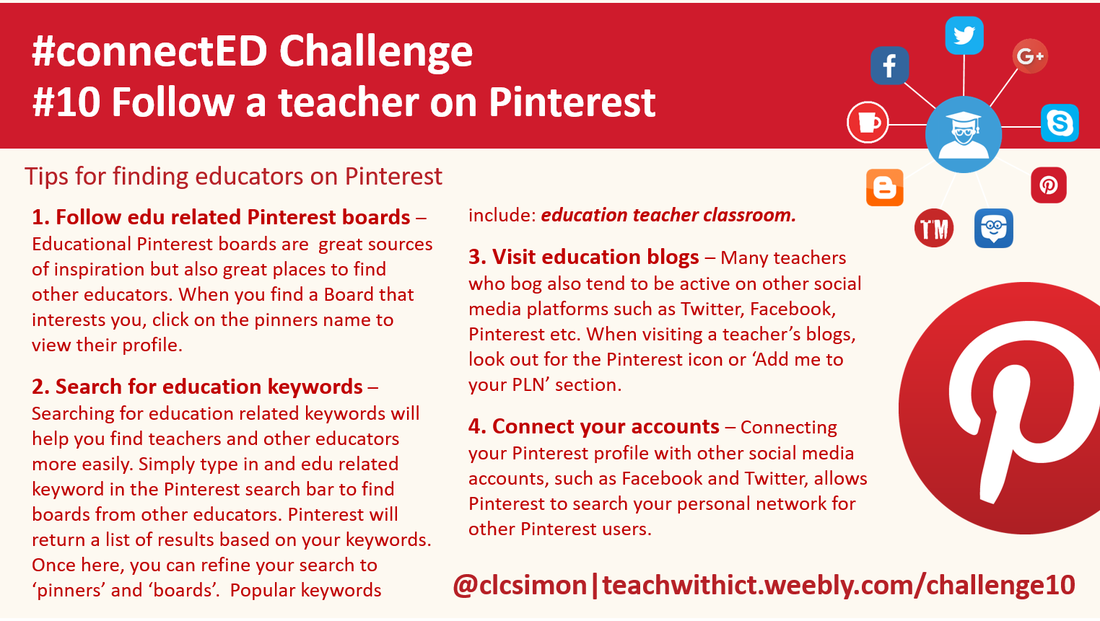
Tips for following teachers on Pinterest
Tips for connecting with other educators on Pinterest. (Crib Sheet)
Just like Facebook and Twitter, Pinterest also allows you to follow the people whose pins interest you. ​​

To find other Pinners:
  • Follow education related Pinterest boards – Educational Pinterest boards are great source of inspiration but also great places to find other educators. When you find a Board that interests you, you have the option of following that board directly or follow the Pinner. Clicking on the pinners name will take you to their profile and also show you what other boards interest them. To follow them, simply click on the follow button in the top right hand corner of their profile.
  • Search for education keywords – Searching for education related keywords will help you find teachers and other educators more easily. Simply type in and edu related keyword in the Pinterest search bar to find boards from other educators. Pinterest will return a list of results based on your keywords. Once here, you can refine your search to ‘pinners’ and ‘boards’.  Popular keywords include: education teacher classroom 
  • Visit education blogs – Many teachers who bog also tend to be active on other social media platforms such as Twitter, Facebook, Pinterest etc. When visiting a teacher’s blogs, look out for the Pinterest icon or ‘Add me to your PLN’ section.
  • Connect your accounts – Connecting your Pinterest profile with other social media accounts, such as Facebook and Twitter, allows Pinterest to search your personal network for other Pinterest users.

pinterest follow icon
Click to follow a pinner
pinterest follow button
Click to follow a board
Because Pinterest is an open network, you don't require special permission to follow other people or their boards. Also, as with Facebook and Twitter, once you’ve followed an educator you can view what boards or people they follow to help you build your PLN (Personal Learning Network).
 
Useful links:
  • https://www.shakeuplearning.com/blog/50-educators-you-should-follow-pinterest/ - List of 50 educators you should follow on Pinterest courtesy of Kasey Bell.
  • Home
  • AI
    • AI Literacy >
      • AI Alliteration
      • Describing Monsters
      • Dystopian writing
      • Bringing literacy to life with AI
      • AI Literacy Prompts
    • AI Computing >
      • AI Computing Lessons >
        • Fake News
        • Make me happy
        • Chatting Robot
        • Supervised Learning
        • Fooled
        • Socratic Debate
        • Moral Machine
        • Invisible Animals
      • AI Coding Strategies
      • AI Computing Prompts
    • AI Prompts
  • Teaching & Learning
    • Wellbeing
    • Blog
    • Humour >
      • Teacher Humour
      • Teacher Humor
    • PLN Challenge >
      • Covering your backside
      • Online Privacy
      • Twitter Challenge >
        • Twitter All Star
        • Challenge 1
        • Challenge 2
        • Challenge 3
        • Tips for staying safe on Twitter
        • Tips for hosting Edu Twitter Chats
        • Tips for taking part in Twitter chats
        • It's all about the hashtag! Essential chats for educators
        • How to storify a chat
        • How to schedule Tweets
        • Twitter Lists
        • NT2tEU
      • Facebook Challenge >
        • Challenge 4
        • Challenge 5
        • Challenge 6
        • Tips for staying safe on Facebook
      • Google Challenge >
        • Challenge 7
        • Challenge 8
        • Challenge 9
      • Pinterest Challenge >
        • Challenge 10
        • Challenge 11
        • Challenge 12
        • Tips for using Pinterest
      • Blog Challenge >
        • Challenge 13
        • Challenge 14
        • Challenge 15
        • How to create a classroom blog
      • Staffrm Challenge >
        • Challenge 16
        • Challenge 17
        • Challenge 18
      • Skype Challenge >
        • Challenge 19
        • Challenge 20
        • Challenge 21
      • Edmodo Challenge >
        • Challenge 22
        • Challenge 23
        • Challenge 24
      • TeachMeet Challenge >
        • Challenge 25
        • Challenge 26
        • Challenge 27
      • In-school challenge >
        • Challenge 28
        • Challenge 29
        • Challenge 30
      • 30 ways to grow your PLN
    • Tools for Teachers >
      • Web 2.0 >
        • Top 10 Web 2.0 Tools
        • Classroom Response Tools
      • Quiz Tools
      • Classroom Management Tools
      • Software >
        • Media Conversion Tools
        • Application Software
      • Multimedia >
        • Free Music
    • BYOD
    • Digital Leaders >
      • Digital Leaders Blog >
        • DL Archive
      • DL Tips
      • Quotes
      • Links
    • Flipped Learning >
      • Flipped Classroom vs. Blended Classroom
    • Gamification >
      • Gamification vs. Game Based Learning vs. Game Design
    • School Closures
    • Game Based Learning >
      • Minecraft >
        • Minecraft in Education
        • Minecraft Lesson Ideas
        • Minecraft Literacy
        • Real Life Minecraft
        • Minecraft Top Tips
        • Minecraft Coding Tutorials >
          • Minecraft Code Builder Setup
          • Minecraft Code: Walking on Air
          • Minecraft Code: Hello World
          • Minecraft Code: Functions
          • Minecraft Code: Rainbow
          • Minecraft Code: Skyscraper
          • Minecraft Pixel Art >
            • MC Pixel Art Painter
    • The magic of >
      • The magic of Computing
      • The magic of Maths
      • The magic of Science
      • The magic of Literacy
    • Road2e2
    • T&L Blog
  • Computing
    • Computing Blog >
      • GCSE Computer Science
      • General
    • Teaching Computer Science >
      • CPD >
        • Blocks to Code
        • Tutorials >
          • How to embed Flash into PowerPoint
          • How to embed YouTube videos in to PowerPoint
          • How to create a wiki
          • How to create a classroom blog
      • Schemes of Work
      • Programming Resources
      • Theory
      • Posters >
        • Binary Posters
        • Coding Posters
      • Festive Computing Activities
      • FLOPPYS 2020
      • FLOPPYS 2021
      • FLOPPYS 2022
      • Game Design
      • App Creation
    • Theory Lessons >
      • Theory Tests
      • Computer Hardware >
        • Input / Output
        • CPU
        • LMC
        • Storage Devices
        • Memory (RAM / ROM)
        • Hardware
      • Binary Lessons >
        • Units of Data
        • Binary & Denary >
          • Binary & Denary (Festive)
        • Binary Representation of Images >
          • Binary Representation of Images (Festive)
          • Pixel Painter
        • Binary Representation of Characters
        • Binary Representation of Sound >
          • ADC Simulator
        • Binary Representation of Instructions
        • Binary Addition
        • Hexadecimal
      • Software >
        • Operating System
        • Types of Software
        • Utility Software
      • Programming >
        • Flowcharts >
          • Tea Algorithm
          • Flow diagrams
      • Computational Thinking >
        • Data Science
    • Digital Literacy >
      • Social Media (Good or Bad thing?)
      • Cyberbullying
      • Staying Safe Online
    • Games >
      • Binary Games >
        • Binary Blitz!
        • Binary Brainiac
        • Binary Blaster
        • Binary Blast Off
        • Binary Flip
    • Binary >
      • ASCII Converter
      • Binary to Decimal
      • Binary to Hex
      • Binary Calculator
    • Escape Rooms >
      • Breakout Edu
      • Escape Timers >
        • Escape Timer
        • Team Timer
        • Binary Timer
      • Binary Escape
    • ICT Strand >
      • Fake News Project >
        • Fake News 1
        • Fake News 2
        • Fake News 3
        • Fake News 4
        • Fake News 5
      • Spreadsheet Modelling
      • Superhero Movie Trailer
      • PowerPoint Task
      • Digital Imaging
      • Paint 3D Tutorial
    • CS Toolkit >
      • AI Toolkit
      • Binary Toolkit
      • Coding Toolkit
    • Coding Strategies >
      • Worked Examples
      • Code Tracing
      • Parsons Problems
      • PRIMM
    • Programming Lessons >
      • Scratch >
        • Festive Scratch >
          • Music Festive with Scratch
          • Turtle Snowflakes
          • What's your elf name
          • Secret Santa
        • Making music with Scratch
        • Sorting Hat Lesson
        • Turtle Time
        • Superhero name generator
        • Compliment Generator
        • Magic 8 ball
      • Python >
        • Chatbot
        • Coding Golf
        • Turtle Time >
          • Turtle Instructions
        • Magic 8 ball
        • Python Mad Libs
        • Rock Paper Scissors
        • Shakespearean Insult Generator >
          • Shakespearean Insult Generator Part 2
        • Compliment generator
        • Sorting Hat
        • Superhero name generator
        • Cards Against
        • Guess the word
        • Guess the number
        • Festive Python >
          • What's your elf name
          • Secret Santa
          • Turtle Snowflakes
          • Let It Snow
      • Little Man Computer
      • Hour of Code >
        • Hour of Code Music
        • Python Tutorials
        • HoC 8-Bit Challenge
        • Music MicroPython (Festive)
      • Raspberry Pi >
        • Networking the Pi
        • Minecraft Pi
        • Harry Potter Sorting Hat >
          • Harry Potter Sorting Hat (GPIO)
        • Raspberry Pi LTSP (Networked Classroom)
        • Astro Pi
    • Homeschooling
    • Remote Learning >
      • Fun Python Tutorials
      • Python Tutorials >
        • Chatbot Tutorial
        • Dice Roll
        • Turtle Tutorial
        • Magic 8 ball
        • Sorting Hat
        • Rock Paper Scissors Tutorial
        • Cards Against
        • Python Mad Libs
        • Shakespearean Insult Generator >
          • Shakespearean Insult Generator Part 2
        • Guess the word
        • Guess the number
        • Superhero name generator
        • Compliment generator
        • Festive Python Tutorials >
          • What's your elf name
          • Secret Santa
          • Turtle Snowflakes
      • Scratch Tutorials >
        • Sorting Hat
        • What's your superhero name
        • Turtle Time Tutorial
        • Compliment Generator
        • Magic 8 Ball
        • Festive Scratch Tutorials >
          • Festive Music with Scratch
          • Secret Santa Scratch Tutorial
          • Turtle Snowflakes Tutorial
          • What's your elf name
    • Revision >
      • Data Representation >
        • Binary Representation of Images
        • Binary Representation of Sound
  • 21 Things
    • 21 Things To Try >
      • ConnectEd
      • Social Media >
        • Twitter
        • Pinterest
        • Facebook Groups
        • Facebook Pages
        • Google+ Communities
        • Staffrm
        • Edmodo
        • Mystery Skype
        • Blogging
        • Classroom Blogging
      • Gamification
      • Flipped Classroom
      • Breakout Edu
      • Edu Podcasts
      • Jar of Awesome
      • TeachMeet
      • Team Teaching
      • Mixed Reality
      • Digital Leaders
      • Genius Hour
      • Sketchnoting
    • Computing >
      • CS 20
      • Code Golf
      • PRIMM
      • Under The Hood
      • Unplugged
      • Podcasts
      • Facebook Groups CS
      • Flipped Classroom CS
      • Teach with Magic
      • Socratic Debate
      • Coding Music
    • 21 Things Keep Fit >
      • 20 Health Hacks
      • Home Health Hacks
    • 21 Things PLN >
      • Edmodo
      • Twitter
      • Reply to a blog
      • Skype
      • Cofee Edu
      • Pinterest
      • Reach out
      • Conferences
      • Instagram
      • Ning
      • MEC
      • Voxer
      • LinkedIn
  • Microbit
    • Physical Computing >
      • micro:bit LEDs
      • micro:bit PIR
      • micro:bit Servo
      • micro:bit Temp
      • micro:bit LDR
      • micro:bit Moisture
      • micro:bit RGB LEDs
      • micro:bit HC-SR04 3v3
      • micro:bit HC-SR04 5v
      • micro:bit Push button
      • micro:bit Potentiometer
      • micro:bit Piezo
    • Music >
      • Music Festive
    • Festive Projects
    • Projects >
      • Music
      • Music MicroPython
      • Servo Animals
    • Lessons >
      • Magic 8 Ball
      • Harry Potter Sorting Hat
    • Quick Start Guide
    • Microbit Simulator
  • #100 Ideas
    • Testimonials
    • Competition >
      • Competition 2
    • Worksheets
    • Bonus Ideas >
      • What's your elf name
      • Make me happy
      • Guess the word
      • Cards Against Humanities
      • Compliment generator
      • Data Science
    • Curriculum
    • ISTE
    • CSTA
  • About
    • Privacy
